
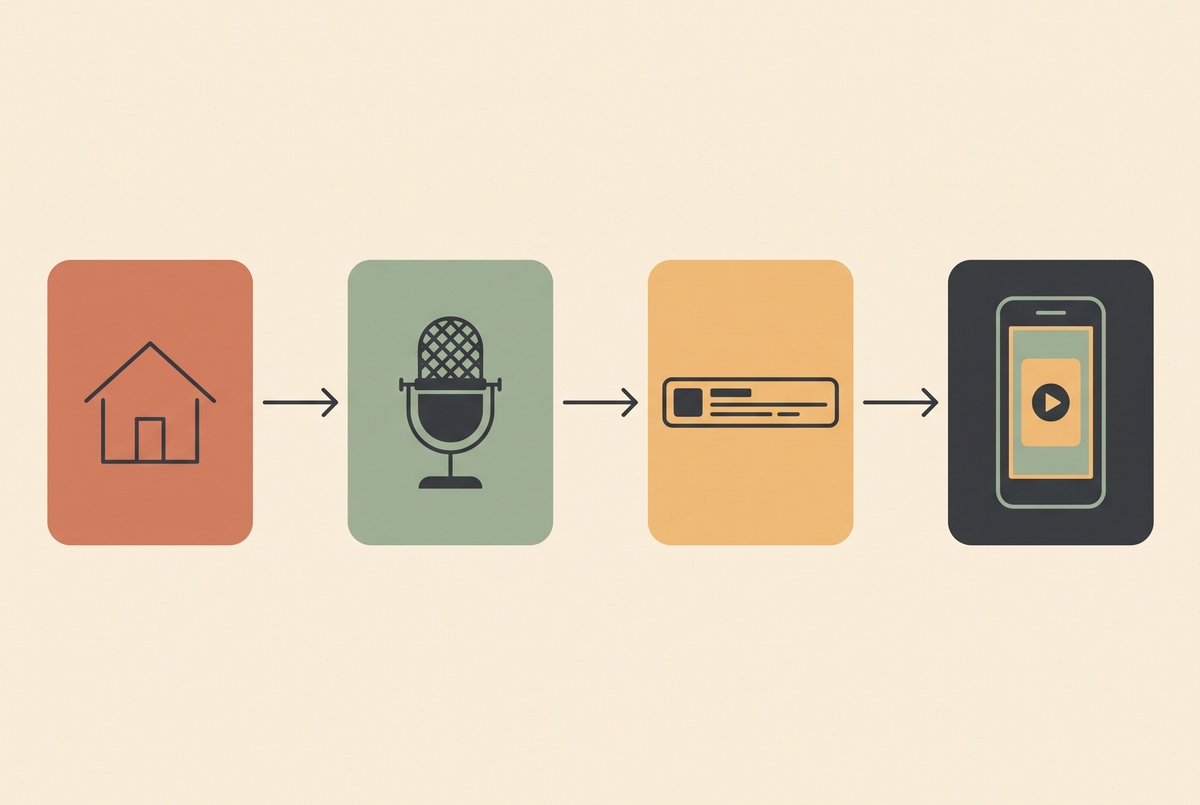
Every few weeks someone asks me whether they can generate a property listing video with AI. The honest answer is: parts of it, and the parts matter enormously — because the one thing you must never do in real estate is generate footage of a room that does not look like that room.
That is not a style opinion. Misrepresenting a property in marketing material is a regulatory problem in most markets, and "the AI added a window" is not a defence anyone wants to test. So this article is split along that line: what AI video genuinely does well for listings, what it must never touch, and the pipeline I'd actually run.
The line you don't cross
Do not generate the interiors. Do not generate the exterior. Do not use image-to-video on a listing photo to "add a little camera movement" through a room, because generative motion invents geometry as it moves — a doorway drifts, a countertop extends, a window appears where there is a wall.
A viewer cannot tell which frames were invented, and neither can you after the fact. The moment a generated frame shows a feature the property does not have, you have published a false representation of a thing someone might buy.
The rooms come from a camera. Everything around the rooms is where AI earns its place.
What AI actually does well here
Four things, and they're the four that eat the most time in a listing edit.
Voiceover. This is the biggest single win. A clean narration track over your own walkthrough footage, generated in seconds, re-recorded free when the price changes or a room description is wrong. No booking, no re-takes, no agent who hates the sound of their own voice. See AI voiceover generator.
Captions. Most property reels are watched on mute. Burned captions are non-negotiable, and generating them from the voiceover takes a minute rather than an afternoon — AI subtitle generator.
Neighbourhood b-roll. This is the underrated one. A listing reel wants three seconds of the area — a park, a café street, a commuter platform — and you almost never have that footage. Generated b-roll of a generic street scene is honest as long as it is not presented as the specific location. Better still, label it. More in AI b-roll generator.
Title cards and outros. Boring, repetitive, and perfect for automation — the agent's name, the viewing time, the call to action, rebuilt per listing from a template.

Disclosure is not optional
Two separate obligations stack here, and people conflate them.
The first is the platform's AI label. Instagram, TikTok and YouTube all have one, and all of them will apply it themselves if they detect generated content — better that you set it than that the platform sets it for you. The second is your own market's advertising rules on representing property accurately, which existed long before any of this.
Practically: set the AI flag on every reel that contains a generated frame, and keep a note of which segments were generated. If a buyer ever asks, "was that the actual kitchen?", you want to be able to answer in one sentence. The general rules are in AI video disclosure rules.
The pipeline I'd run
Assume you have phone footage of the property and nothing else. This takes about an hour per listing once the template exists, and most of that hour is unattended.
| Step | Source | Time |
|---|---|---|
| Walkthrough footage | Your camera — never generated | 20 min on site |
| Script, 90-120 words | Written from the listing facts | 10 min |
| Voiceover | Generated, one take, re-run free | 2 min |
| Neighbourhood b-roll, 2-3 clips | Generated, generic, labelled | 5 min |
| Captions | Generated from the voiceover | 2 min |
| Title card and outro | Template, swap the text | 3 min |
Cut it to 9:16 and keep it between 20 and 35 seconds. Longer listing reels do not get watched to the end, and the end is where the viewing details are. There's more on length in AI video length, and on the vertical formats in AI video generator for Instagram Reels.
Which model, if you're generating b-roll
For a few seconds of generic street or park footage, you want cheap and fast rather than cinematic. Seedance is the volume option and handles 9:16 natively — costs are in Seedance pricing. If a particular clip needs to look expensive — a hero shot for a premium listing — Kling 3.0 at roughly $0.10 per second is the one I'd reach for, and the numbers are in Kling AI pricing.
Do not over-engineer this part. Three seconds of a plausible autumn street costs pennies and nobody rewinds it. The voiceover and the captions are what change whether the reel gets watched.


What I'd skip entirely
AI avatars presenting the property. A synthetic agent talking about a house lands badly — real estate is a trust purchase and the presenter is part of the product. If you want a face, use your own.
Virtual staging inside the video. Staged stills are a long-established practice and are usually labelled as such. Staging inside moving footage is a different thing: the furniture drifts, the scale slips, and it stops reading as a labelled illustration and starts reading as the room.
Upscaling old listing footage into something "cinematic". Upscalers hallucinate detail. On a property that detail is a claim. See AI video upscaler for where upscaling is and isn't safe.
Cars are one of the hardest subjects a generative model can be handed: rigid, symmetrical, reflective and familiar enough that every viewer spots a wrong panel gap instantly. Badges and number plates are worse still, because no current model holds a wordmark steady across frames. The workflow that survives contact with a real forecourt therefore inverts the obvious one — film the car once, then generate everything around it: motion on the listing stills you already have, atmospheric B-roll with no vehicle in shot, and an avatar for the finance explainer. Roughly a fifth of the finished edit is generated, and it is the fifth that would otherwise have cost a location shoot. The full breakdown is in AI video for car dealerships.
Hospitality has the same split as every other place-based business, only with sharper consequences. The property itself — the room, the view, the breakfast — has to be real footage, because a guest who books on a generated room and walks into a different one leaves a review that outlives the campaign, and in the EU an unfair commercial practice does not require intent. Everything around the property is fair game: the city in low season, the objection answers, the neighbourhood walk, the check-in explainer. That split is what lets a hotel or an Airbnb host post daily without a photographer on retainer. Six clip types and a one-batch-day workflow in AI video generator for hotels.
FAQ
Can I generate a property video entirely with AI?
No — not one that shows the actual property. The interiors and exterior must come from a camera. AI handles the voiceover, captions, generic b-roll and title cards around that footage.
Is AI-generated real estate video legal?
The generation itself is fine. Presenting generated frames as the real property is a misrepresentation problem in most markets, and separately, platforms require an AI label on generated content. Set the label and keep the property footage real.
What's the best AI tool for listing videos?
For the parts worth automating: a voiceover generator, a caption generator, and a cheap fast video model for generic b-roll. You do not need a premium cinematic model for a listing reel.
How long should a real estate reel be?
20-35 seconds vertical. Anything longer loses the viewers before the viewing details, which is the only part with a job to do.
Can I use AI to add furniture to an empty room on video?
I wouldn't. Virtual staging on stills is established and labelled; doing it in motion makes the furniture drift and stops reading as an illustration. Stage the stills, keep the video honest.
Do I need to disclose AI voiceover?
Platform AI labels apply to the post as a whole, so yes, flag it. A generated narration over your own footage is the least contentious use there is, but the label costs you nothing.
Where to go from here
The pattern in this article isn't really about property. It's the general shape of where AI video pays off right now: it is excellent at the repetitive layer around real footage, and dangerous the moment it is asked to depict a specific real thing. Listings just make that line unusually visible.
Looking for something else? Browse all 106 AI video guides in one list.
Looking for something else? Browse all 106 AI video guides in one list.
If you want to compare notes with people running these pipelines daily, that's what the AI Video Generator Skool community is for — real costs, real workflows, and a heads-up when a platform changes its rules. Come and join us. If you'd rather skip the tooling entirely, we'll make it for you: custom AI-generated video.
Share:
Runway Alternatives in 2026: What I Actually Switched To
AI Video Aspect Ratios: What to Generate for Each Platform in 2026