
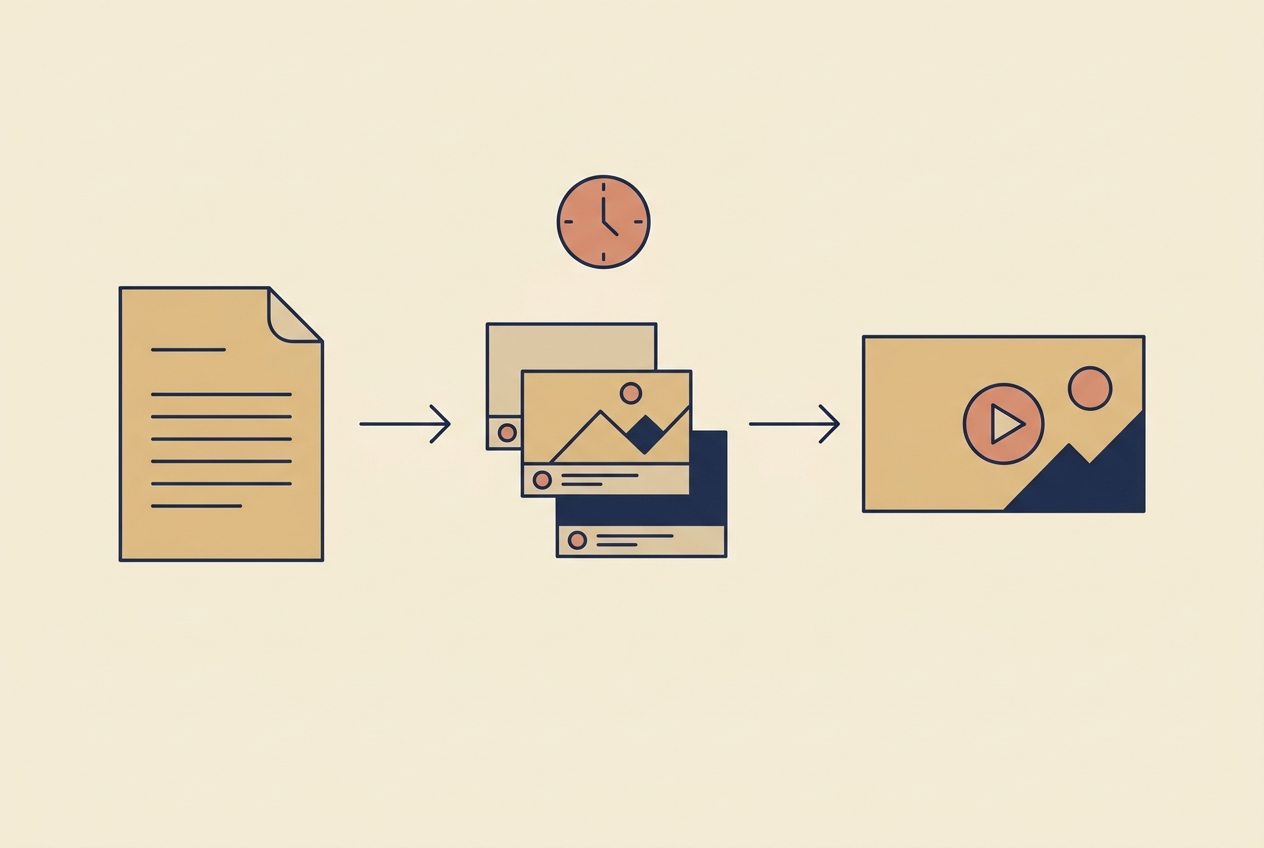
LTX Studio is not competing with the model you are probably comparing it to. Sora, Veo, Kling and Seedance sell you a shot. LTX Studio sells you the thing around the shot: a script broken into scenes, scenes broken into shots, characters and locations that persist across all of them, and a timeline you can actually edit. It is a production tool with generation inside it, not a generator with a timeline bolted on.
That distinction decides whether it is worth your month. I produce short-form daily across two brands, and I have run enough multi-scene work to know exactly where the storyboard-first approach pays and where it just adds clicks.
What LTX Studio actually is
You start from a concept - a paragraph, a script, sometimes just a logline - and it decomposes that into a storyboard. Each shot becomes an editable card with its own framing, camera move, dialogue line and duration. You adjust at the card level, then render.
The part that matters is persistence. Characters and locations are defined once and reused across every shot, so the person in shot one is recognisably the same person in shot nine. Anyone who has tried to build a multi-scene video by prompting a raw model shot by shot knows this is the hard problem, and that no amount of prompt discipline fully solves it. Handing it to the tool is a genuine structural advantage.
There is also a real timeline with audio, voiceover and per-shot control - so the output arrives closer to finished than a folder of clips does.
Where it earns its place
Anything with more than four shots. This is the whole case. Below four shots, prompting a good model directly is faster. Above four, the consistency and the storyboard structure start saving more time than the interface costs.
Pitching before producing. A rough full-length previz of an ad or a short is enormously useful before anyone commits budget. Getting the shape wrong on a storyboard is cheap; getting it wrong after a shoot is not.
Character-driven narrative. If the same face has to appear across a whole video, the persistence layer is doing work you would otherwise do by hand with reference images and a lot of failed renders.

Where it does not fit
Single-shot social clips. The overhead is real. For one fifteen-second vertical clip, the storyboard layer is pure friction - you want a model, a prompt and a render. My daily posting pipeline does not run through a storyboard tool for exactly this reason.
Raw shot quality against the frontier models. A production tool has to sit on top of models, and there is always a gap between what the best standalone model renders this month and what an integrated tool exposes. If the single most photoreal frame is the goal, generate the shot elsewhere.
Text on screen. Same as everywhere in this category: do not let a model burn words into pixels. Add them in the edit, where they can be fixed.
Faces at close range under heavy motion still drift. Structure solves continuity between shots, not the frame-level problem inside one.

Cost, and the number people get wrong
Pricing in this category changes month to month, so check the live page rather than trusting any figure in an article - including this one. What is stable is how the money actually leaves.
Storyboard tools hide their real cost in re-renders. A change to shot three often means re-rendering shot three, and a change to a character means touching everything that character appears in. My working assumption is three to four generations per usable shot while a look is being found, settling to about one and a half once it is locked - and on a nine-shot piece that difference is the entire budget.
The number that decides whether a tool stays is cost per published minute, not cost per generation. Judge it that way and a slower tool that lands usable shots first time often wins outright.
How it sits next to the rest of the stack
- Multi-scene narrative, ads with a story, previz - LTX Studio, or a comparable storyboard-first tool.
- One beautiful shot - a frontier model. The Sora alternatives roundup covers that tier.
- Talking heads and avatars - a dedicated avatar product, not a general video model. See HeyGen alternatives.
- Daily vertical volume - a lean prompt-to-clip loop. I have written up the cadence in how many AI videos per day is worth producing.
- Product ads at catalogue scale - a product pipeline. See the product video generator guide.
The mistake I see most often is buying a production tool to solve a volume problem. They are different problems, and the storyboard layer that makes a five-minute narrative possible is exactly what makes a fifteen-second clip slower.

If you do use it, use it like this
- Write the script before you open the tool. Auto-decomposition is only as good as what it decomposes, and fixing structure inside a storyboard is slower than fixing it in a text file.
- Lock characters and locations first, before rendering a single shot. Redefining a character after nine shots exist means re-rendering nine shots.
- Render at low quality until the edit is right, then re-render the locked cut once. This is where most of the wasted credits go.
- Keep dialogue out of the visual generation where you can, and lay voiceover on the timeline instead. Cleaner mouths, and you can rewrite a line without re-rendering a shot.
- Add every word of on-screen text in post.
- Set the platform's AI label using its real flag, not a caption line - see the disclosure rules.
The argument here - that the cheaper tool wins when you are still figuring out the shot - holds inside a single vendor too. Runway AI pricing works the credit maths out plan by plan and shows why the newest model on the entry tier is the most expensive way to buy Runway.
Frequently asked questions
What is LTX Studio used for?
Producing multi-scene video from a script or concept: it builds a storyboard, keeps characters and locations consistent across shots, and gives you a timeline to edit. It is a production environment rather than a single-shot generator.
Is LTX Studio better than Sora or Veo?
They solve different problems. Frontier models produce the better single shot. LTX Studio produces the better nine-shot sequence, because consistency across shots is the thing it is built to handle. Above roughly four shots the structure starts to win.
Is LTX Studio free?
There is a limited free tier with paid plans above it. Pricing in this category moves constantly, so check the live pricing page rather than any number quoted in an article.
Is LTX Studio good for TikTok and Reels?
For a one-shot vertical clip, the storyboard layer is overhead you do not need. It becomes worth it when a short-form piece genuinely has several scenes and a recurring character.
Does LTX Studio keep characters consistent?
That is its main structural advantage - characters and locations are defined once and reused across shots. It is far more reliable than prompting a raw model shot by shot, though close-up faces under heavy motion can still drift.
How should I judge whether it is worth paying for?
Cost per published minute, not cost per generation. Count the re-renders honestly: a change to one character can mean re-rendering every shot that character appears in, and that is where the budget actually goes.
Looking for something else? Browse all the AI video guides in one list.
Looking for something else? Browse all 80 AI video guides in one list.
Storyboard-first tools like LTX Studio are not the only way to assemble a video you never filmed -- Canva’s AI video generator does it from a template library instead, which suits a very different kind of project.
Coming at this from a timeline editor instead of a generator? The InVideo alternatives roundup maps which tools actually replace which part of that workflow.
If you want the hooks, the prompts and the posting schedule I actually run these tools with, join the AI Video Generator community on Skool.
Share:
Pika AI in 2026: What Its Effects Are Actually Good For
HeyGen vs Synthesia in 2026: One Question Decides It