
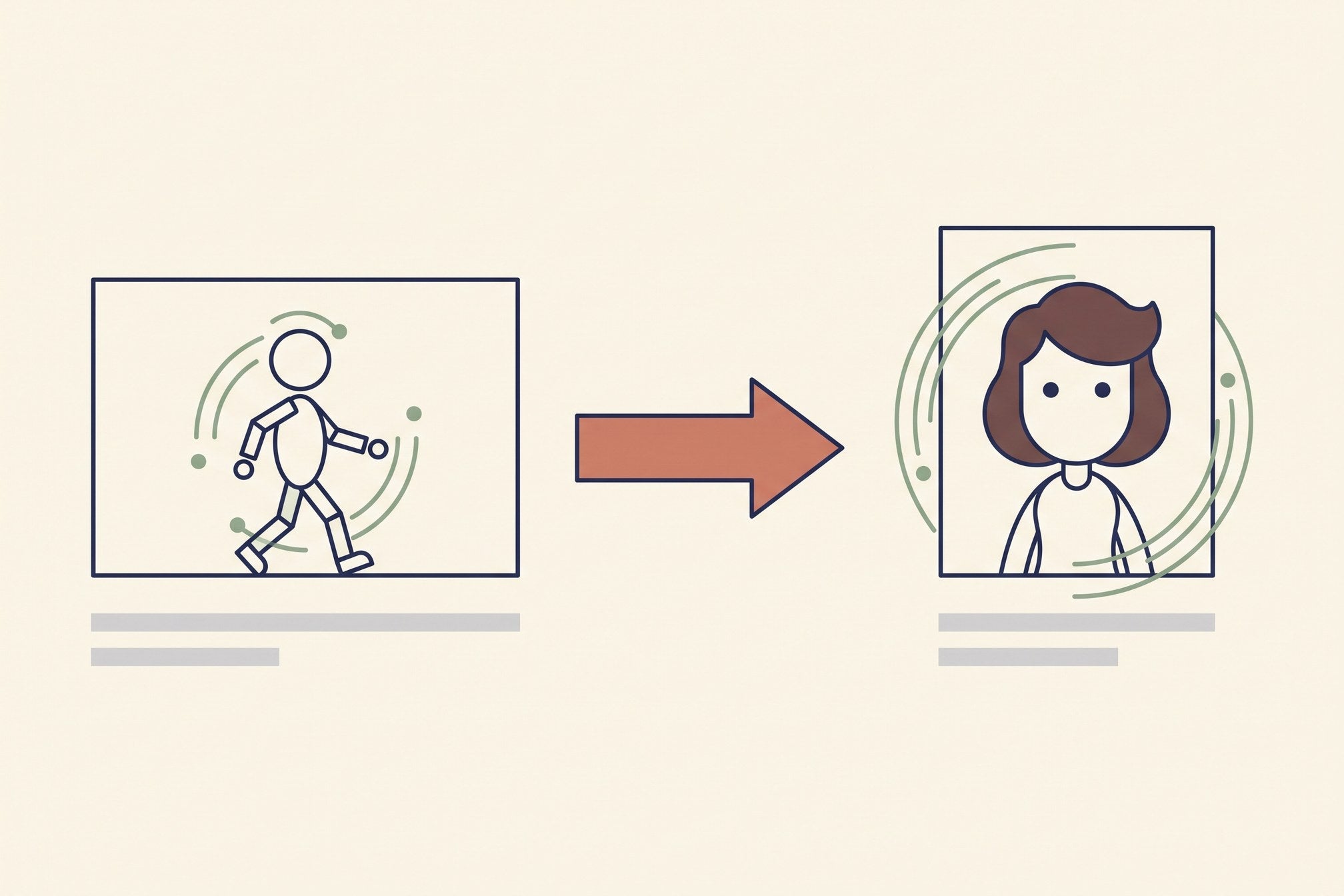
Motion control is the first AI video feature that changed how I actually work rather than just what I could demo. The idea is simple enough to explain in a sentence: instead of describing how something should move, you hand the model a video that already moves the way you want, and it transfers that motion onto your still image.
I use it to rebuild videos that already worked, shot for shot, with our own product in them. Here is what it does well, what it quietly does wrong, and what a finished clip costs.
What motion control is, precisely
Text-to-video asks a model to invent both the content and the motion. Motion control splits those apart. You supply two inputs:
- A driving video — the clip whose movement you want. Camera move, body movement, timing, all of it.
- A still image — the subject you want moving that way. Your product, your character, your set.
The model reads the motion out of the first and applies it to the second. What you get back is your still, animated along someone else's choreography.
The names differ by platform — recast, puppeteer, motion transfer, motion brush — and they are not all the same feature. Kling's Motion Control transfers whole-body and camera motion. Runway's motion brush lets you paint a region and give it a direction, which is a much smaller tool. Read what a given product means by the phrase before you plan a shoot around it.

Why it beats prompting for motion
Describing motion in words is the weakest part of prompting. "She turns and walks toward the camera, then glances back over her shoulder" is four instructions with implied timing, and models get the timing wrong more often than the actions. You end up rendering ten times to get a turn that lands on the right beat.
A driving video removes the ambiguity completely. The turn happens at 2.4 seconds because it happened at 2.4 seconds in the source. There is nothing to describe and nothing to re-roll.
That matters most when the timing is the thing that works. If you are rebuilding a video that performed well, the beat structure is a large part of why — and beat structure is exactly what a text prompt cannot reproduce reliably.

The three constraints nobody mentions
These cost me real renders to learn.
The still needs a visible person. If the motion you are transferring is human movement, the target image must contain a recognisable human figure. A flat-lay of a garment with no one in it will not accept body motion — the model has nothing to map the skeleton onto. It either fails or invents a person, and the invented one will not be wearing your product correctly.
Under three seconds tends to fail silently. A driving clip shorter than about three seconds frequently returns something that looks like a still with a wobble, or nothing usable at all, without erroring. Give it at least three seconds and preferably five.
Time gets compressed. The output does not always run at the source's pace — a five-second driving clip can come back reading faster than it went in. Plan to re-time in the edit rather than assuming frame-accurate transfer, and check the beat positions in your editor before you build a cut around them.
What a finished clip costs
Motion control is the expensive corner of AI video, and it is worth knowing that before you plan on it.
Kling 3.0 Motion Control runs roughly 100 to 180 credits per finished ad in our pipeline — and that is per finished clip, after rejects, not per render. Against a text-to-video path that costs us zero on a free tier, the arithmetic only works when the motion is the point. For an ad rebuilding a proven video shot for shot, it usually is. For general b-roll it never is.
The practical consequence is a hard scheduling constraint. Our own motion-control routine has been blocked for days at a stretch simply because the credit balance sat near zero — text-to-video kept producing on the free path while motion control waited. If you build a production schedule on motion control, build a credit buffer with it, because unlike the free tiers this one genuinely stops when the balance runs out.
Where it is worth it
Four cases earn the cost:
- Rebuilding a video that already performed. You keep the timing that made it work and swap the product. This is the main one.
- Product demonstrations with specific handling. A particular way a garment falls, a lid opens, a fabric moves.
- Consistent motion across a series. Same choreography, different products, so a set of ads reads as one campaign.
- Motion you cannot describe. If you find yourself writing a paragraph about how something moves, that paragraph is a driving video you have not shot yet.
And the cases where it is the wrong tool: generic b-roll, anything under three seconds, anything where the target image has no person and the motion is human, and anything where you would be fine with the model's own interpretation. For those, a plain text-to-video render on a free tier is both cheaper and faster.

The workflow, start to finish
Pick the driving video first, not the still. The motion is the scarce input; product images are not. Then screenshot the first frame of each cut in that source, and rebuild that frame with your own product and character in an image model — one attribute changed per pass, because changing two at once is how you end up with the wrong garment and no way to tell which pass broke it.
Then transfer the motion onto those stills, one cut at a time, and reassemble over the source's own audio. Check two things before you call it done: that the product in the output is still your product and has not drifted back toward the source's, and that the beats land where your edit expects after any time compression.
Verify against frames, not against the fact that the render finished. A job that returns successfully and quietly swapped your product back is the failure mode that costs the most, because nothing errors.
Common questions
What is motion control in AI video?
Transferring the movement from an existing video onto a still image, so your subject moves the way the source did. It separates "what is in the shot" from "how the shot moves", and lets you specify the second by example instead of by description.
Which tools have motion control?
Kling has the most capable version for whole-body and camera motion; Higgsfield exposes it through its own interface; Runway's motion brush is a lighter, region-based tool rather than full motion transfer. Our Kling guide covers that side in more detail.
Can I use any video as the driving clip?
Technically usually yes; legally, that depends entirely on the source. Using someone's video as a motion reference sits in genuinely unsettled territory, and the safe version is to shoot your own driving clips or use licensed footage. Treat "it works" and "it is fine to publish" as separate questions.
Why did my motion control render fail with no error?
Most often the driving clip is under three seconds, or the target still has no visible person while the motion is human. Both fail quietly rather than reporting anything useful.
Does motion control preserve my product exactly?
Not reliably. Product drift toward whatever was in the source clip is the most common defect, and it is easy to miss because the render succeeds. Compare an output frame against your reference image before using the clip.
Is motion control worth it for organic social posts?
Only when you are rebuilding something proven. At roughly 100 to 180 credits a finished clip it is many times the cost of a free-tier text-to-video render, so it earns its place on ads and campaign sets rather than on daily volume.
Where to go next
Motion control is the most capable and least forgiving tool in the current stack. It removes the hardest part of prompting and replaces it with three constraints that are easy to trip over and hard to diagnose, because the failures are quiet ones. Know the constraints first and it becomes the most reliable way to make an AI clip read as real footage — because the motion in it was real footage.
Looking for something else? Browse all AI video guides in one list.
Join the AI Video Generator community on Skool and bring the clip you are stuck on.
Share:
AI B-Roll Generator: What Actually Works, and What It Costs
AI Voiceover Generator: The Part of AI Video Nobody Budgets For